> For the complete documentation index, see [llms.txt](https://docs.hotwax.co/documents/llms.txt). Markdown versions of documentation pages are available by appending `.md` to page URLs; this page is available as [Markdown](https://docs.hotwax.co/documents/learn-shopify/shopify-reference/orders/order-approval-for-fulfillment.md).
# Order Approval for Fulfillment
Learn how the order approval process in HotWax Commerce works and prepares orders for fulfillment.
In HotWax Commerce, order approval acts as a critical checkpoint before fulfillment begins. When a customer places an order through Shopify or another sales channel, it enters HotWax Commerce in a `Created` status.
Orders must pass validations like payment verification and fraud checks before fulfillment begins. Once these conditions are met, the order status changes to `Approved`. This signals to the warehouse team that the order is legitimate and ready for picking, packing, and shipping.
## The order approval lifecycle
The approval process adapts based on the sales channel and payment method. It can happen instantly or after a delay.
* **Immediate approval:** Orders paid with cash, cash on delivery (COD), or billed accounts often auto-approve within seconds.
* **Delayed approval:** Orders requiring fraud assessment, such as those paid with high-risk credit cards, enter a `Hold` status. They wait for a scheduled job to confirm they pass security checks.
Once approved, HotWax Commerce officially allocates reserved inventory to the order. This allows the warehouse management system to begin picking operations.
## Approval pathways
HotWax Commerce orchestrates order approval through several pathways, depending on where the order originated and its specific requirements:
* **Shopify webhooks:** The `orders/updated` webhook detects payment confirmations and instantly triggers the approval process.
* **Scheduled batch jobs:** The `Approve Orders` job regularly checks for fraud validation tags, like Riskified's `approved` tag, and approves orders that pass the assessment.
* **Marketplace services:** Specific services handle approval for Amazon and eBay orders based on their unique rules.
* **Point of sale (POS):** Orders placed in physical stores or via WebPOS auto-approve during checkout.
* **Direct UI or API:** You can manually approve orders using the HotWax Commerce user interface or direct API calls.
* **Data imports:** The Maarg Data Manager processes and approves bulk order imports.
## `Approve Orders` job
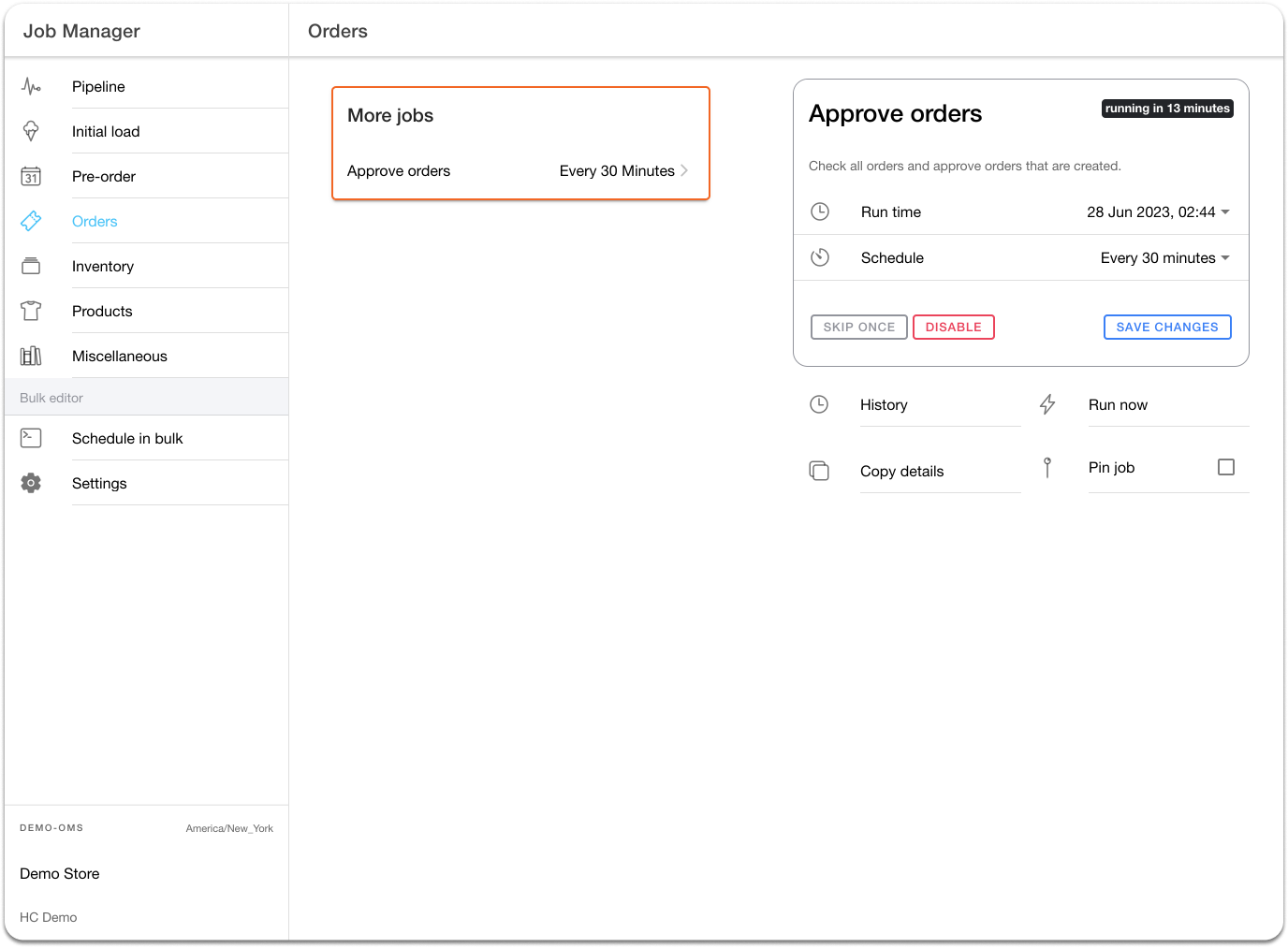
The `Approve Orders` job runs at a default frequency of 30 minutes. It systematically verifies and approves orders that require additional checks, such as third-party fraud detection.
For example, if you use Riskified for fraud detection, it adds an `approved` tag once an order passes security checks. The `Approve Orders` job scans for this tag and updates the order status to `Approved`, making it eligible for fulfillment.
Fig. 6: Configuration of the “Approved Orders” job in the Job Manager App
{% hint style="info" %}
Shopify marks digital items as `Fulfilled` automatically. When these items import into HotWax Commerce, they are automatically marked as completed.
{% endhint %}
---
# Agent Instructions
This documentation is published with GitBook. GitBook is the documentation platform designed so that both humans and AI agents can read, navigate, and reason over technical content effectively. Learn more at gitbook.com.
## Querying This Documentation
If you need additional information that is not directly available in this page, you can query the documentation by asking a question.
Perform an HTTP GET request on the following URL with the `ask` and `goal` query parameters:
```
GET https://docs.hotwax.co/documents/learn-shopify/shopify-reference/orders/order-approval-for-fulfillment.md?ask=&goal=
```
`ask` is the immediate question: it should be specific, self-contained, and written in natural language.
`goal` is what the user is ultimately trying to achieve, the reason they need the answer. Sharing it helps GitBook give you a better, more relevant answer. A goal is most helpful when it describes the outcome the user wants rather than restating the question. For example, with `ask=how do I create an API token`, a goal like `automate deployments from our CI pipeline` lets GitBook tailor the answer to that use case.
The response will contain a direct answer to the question and relevant excerpts and sources from the documentation.
Use this mechanism when the answer is not explicitly present in the current page, you need clarification or additional context, or you want to retrieve related documentation sections.